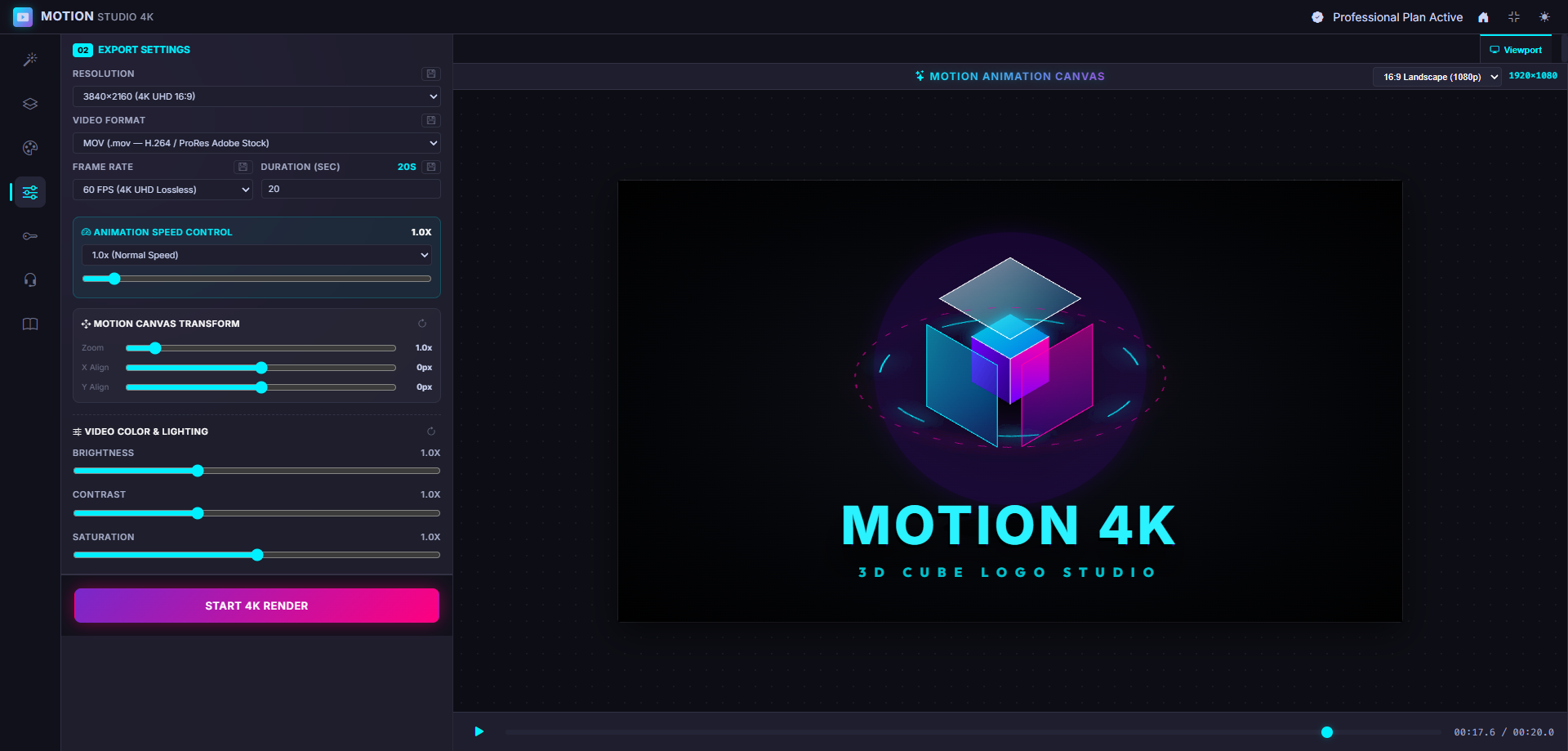
Professional Editor Interface
Everything you need to craft the perfect 4K motion graphics right in your browser.
The ultimate Image to Motion & 4K Video Generator. Convert static images, vector graphics, HTML canvas & CSS keyframes into studio-grade 4K 60FPS QuickTime MOV & MP4 videos directly in your browser.
Everything you need to craft the perfect 4K motion graphics right in your browser.
Stop getting your uploads rejected by stock agencies for artifacts or low frame rates.
Powerful tools designed for microstock creators, video editors, and animators to maximize quality and speed.
Our proprietary frame-grid technology captures animations pixel by pixel directly in the browser, ensuring zero compression artifacts and maximum Adobe Stock acceptance rates.
No software downloads. Render heavy 4K files directly on your GPU through the web app with zero cloud-wait times.
Powered by advanced LLMs to transform your ideas into SMIL/CSS animated motions instantly.
Generate optimized titles, descriptions, and tags for Adobe Stock, Freepik, and Shutterstock with one click.
Select elements directly on the canvas. Drag, drop, scale, and recolor vector shapes intuitively without touching a line of code.
From static concept to 4K Adobe Stock-ready video in three simple steps.
Drop your image or paste an motion prompt. Our AI understands the context and generates pristine vector animations.
Use the visual IDE to tweak colors, animation timings, green screen chroma, and layering in real-time.
Export directly in-browser to 4K UHD 60FPS QuickTime MOV or MP4 with our zero-compression frame-grid engine.
See what stock videographers are saying about Motion4k.
"Before Motion4k, my After Effects renders took hours for simple vector loops. Now I generate them in browser in seconds and Adobe Stock accepts 100% of them. It's a game changer."
"The lossless 4K export is genuinely lossless. I zoomed in 400% on Premiere Pro and the edges of the motion animations are razor sharp. No banding at all."
"The built-in SEO metadata generator saves me so much time. Not only do I make the video fast, but uploading and tagging it on Shutterstock is instant."
"I can't imagine my workflow without Motion4k anymore. It easily cuts my rendering time by 90% and the quality is flawless. Highly recommended!"
"The dashboard is so intuitive. Setting up 4K lossless renders used to be a headache with plugins, but here it's just one click. Brilliant."
"Finally a tool that understands the strict requirements of microstock agencies. Every single MOV file I've exported has been approved instantly."
Join thousands of microstock creators generating premium 4K assets in seconds.
View Pricing